How to convert a PDF to JPG or PNG on iPhone and iPad
Some apps and websites only accept images: a social post, a form that wants a JPG, a chat where a PDF won't preview. Converting the pages into pictures solves it in a few seconds.

When an image is better than a PDF
A PDF keeps a document together, but some places only take pictures: social networks, profile uploads, some chat apps and online forms. An image also shows up straight away in a message, without opening a viewer.
Quality and size
Each page becomes one picture. The higher the resolution, the sharper the image and the heavier the file. For a screen, a medium resolution is enough; for printing, choose a high one.
The simplest way to turn a PDF into images on iPhone and iPad
PDF to images in Unlock my PDF saves each page as a JPG or PNG image, at the resolution you choose. Convert every page or only some, then save the images to Photos or Files.
The full flow · 25 s
How to convert a PDF to JPG or PNG
Step 01 of 04
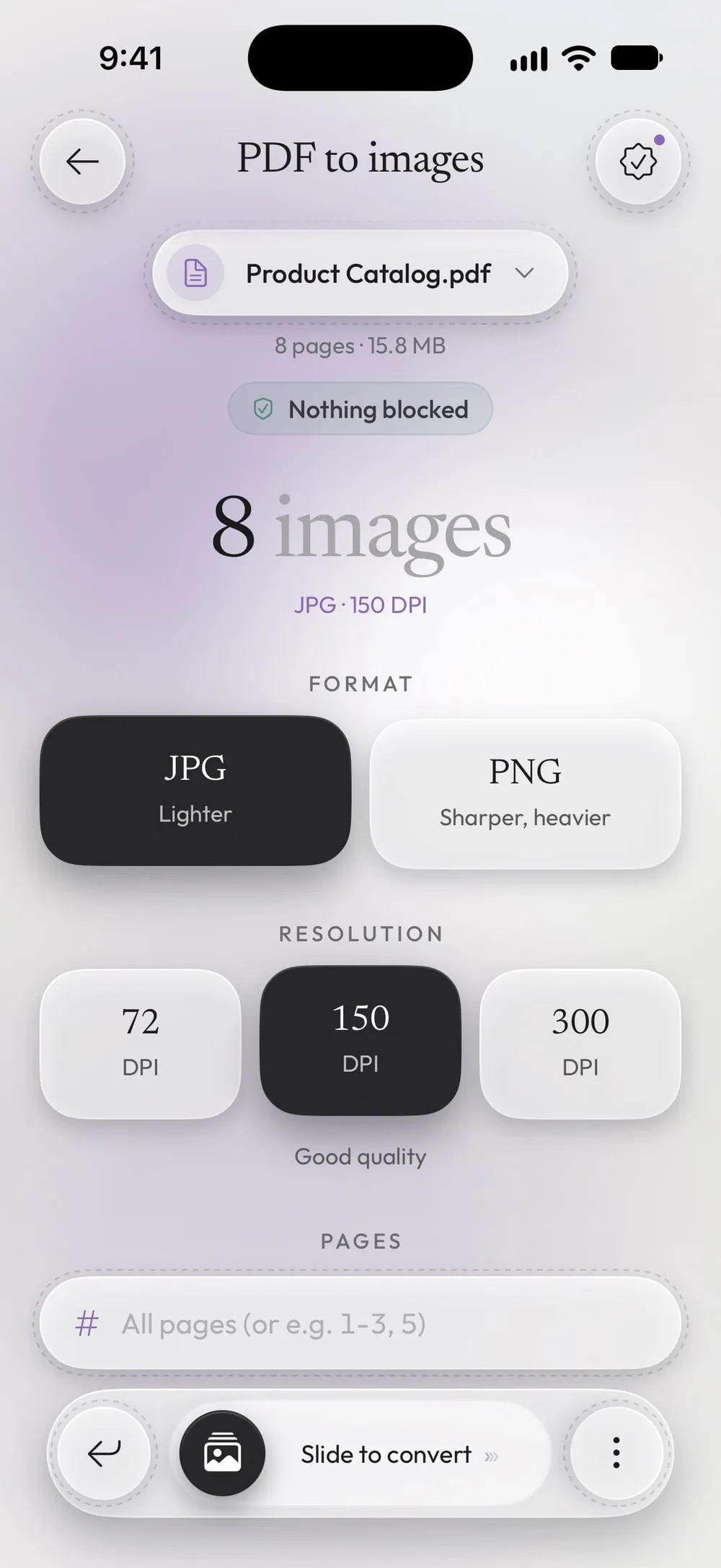
Open PDF to images and choose the PDF
In the Tools tab, tap PDF to images, then Tap to choose, and pick the PDF from Files.
Step 02 of 04
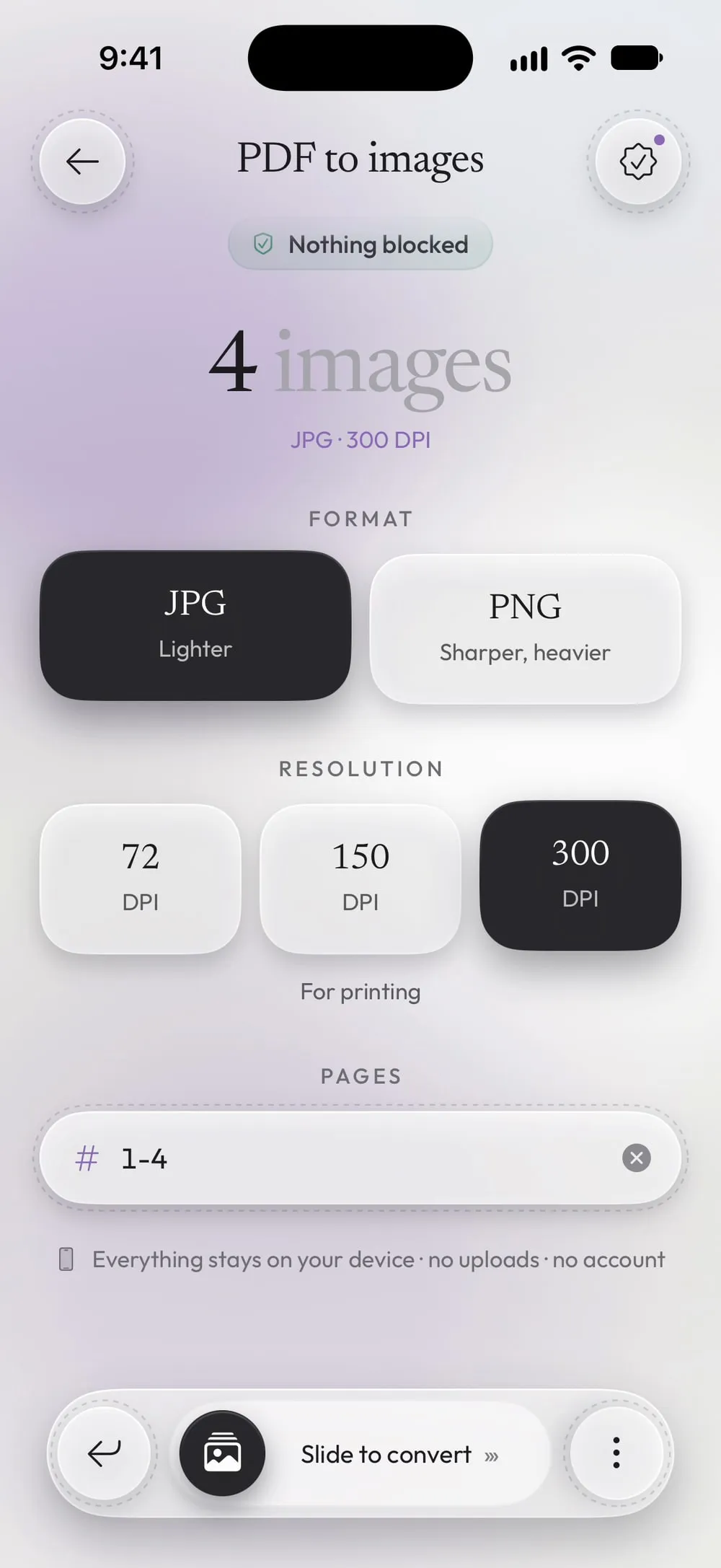
Choose format and resolution
JPG is Lighter, PNG is Sharper, heavier. For Resolution, 72 DPI is For the screen, light files, 150 is Good quality, 300 is For printing.
Step 03 of 04
Pick the pages
Leave Pages empty to convert every page, or type the ones you want, such as 1-4 or 2, 5.
Step 04 of 04
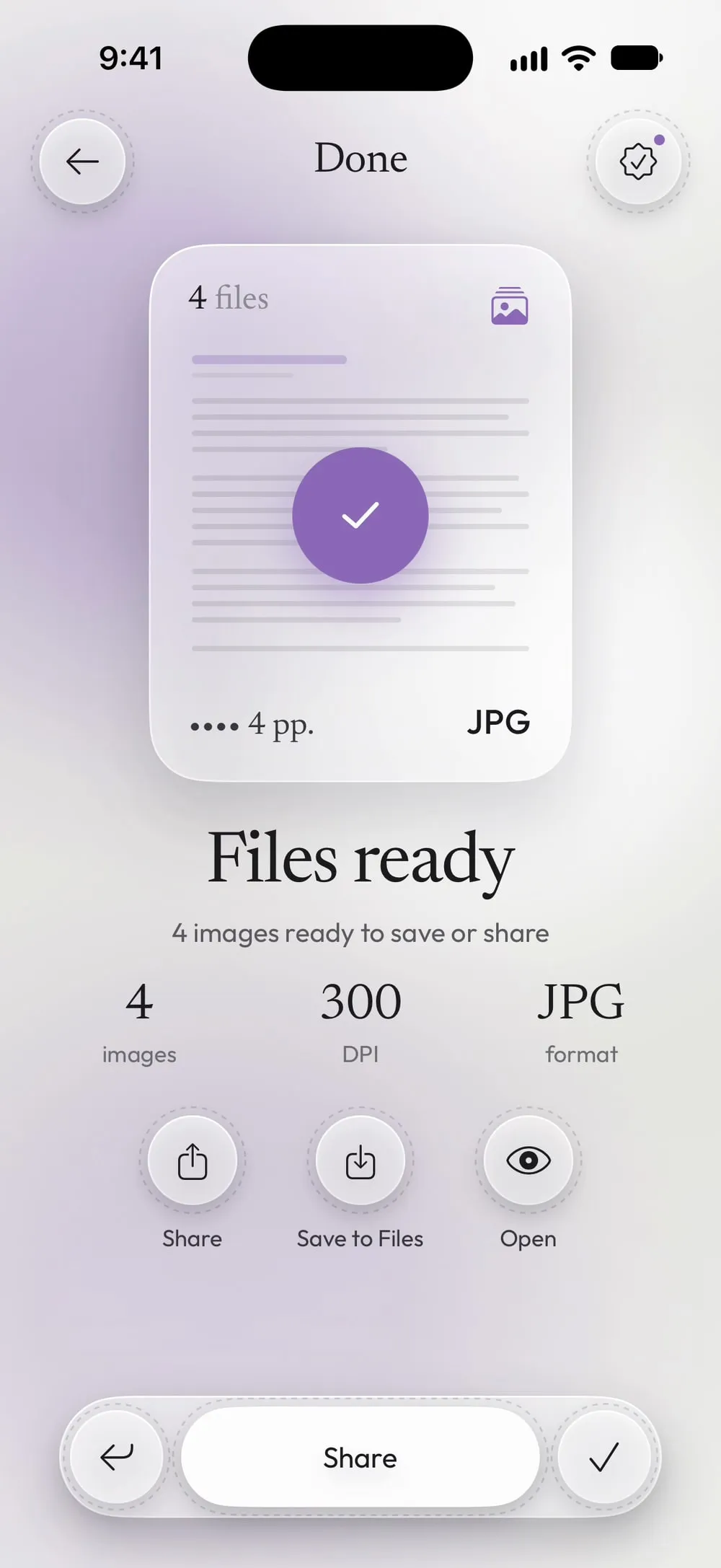
Slide to convert and save the images
Drag Slide to convert. Tap Share and choose Save Images to put them in Photos, or tap Save to Files.
Steps
-
In the Tools tab, tap PDF to images, then Tap to choose, and pick the PDF from Files.
-
JPG is Lighter, PNG is Sharper, heavier. For Resolution, 72 DPI is For the screen, light files, 150 is Good quality, 300 is For printing.
-
Leave Pages empty to convert every page, or type the ones you want, such as 1-4 or 2, 5.
-
Drag Slide to convert. Tap Share and choose Save Images to put them in Photos, or tap Save to Files.
Good to know
JPG or PNG?
JPG is right for photos and for sending: files are small. PNG keeps small text and thin lines perfectly sharp, but the files are heavier.
Which resolution?
150 DPI is fine for phones and the web. Choose 300 DPI only if you need to print the image or zoom in on small details.
Just one page
Type a single number in Pages to get one image, for example the page with a signature or a chart.
Protected PDFs
Images can't keep a password. To convert a PDF that has one you need Premium and the password you know.
Questions
How are the images named?
Each image takes the name of the PDF followed by the page number, such as "Catalog_p1.jpg".
Will the images be saved in Photos?
Only if you choose it from Share. You can also save them in Files, or both.
Is it free?
Yes, once a day after a short video. Premium makes it unlimited and removes the ads.
Are my files uploaded?
No. The images are made on your iPhone or iPad.