How to add page numbers to a PDF on iPhone and iPad
A long report, a thesis, an application with attachments, a document for a meeting: page numbers let everyone talk about "page 7" and notice straight away if a page is missing.

Why number the pages
Without numbers, a long PDF is hard to discuss and easy to print out of order. With them, anyone can point to a page, and a missing page is obvious.
Which style to choose
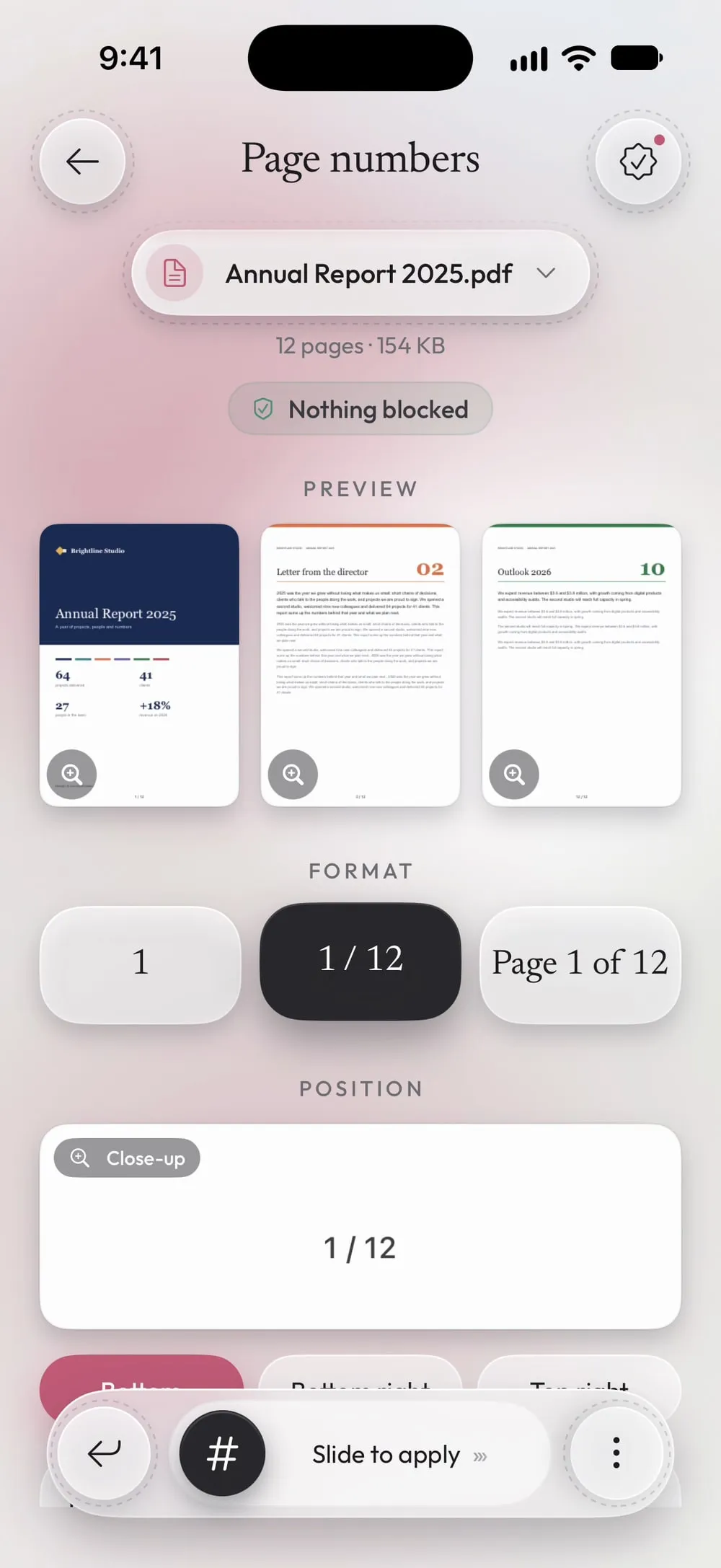
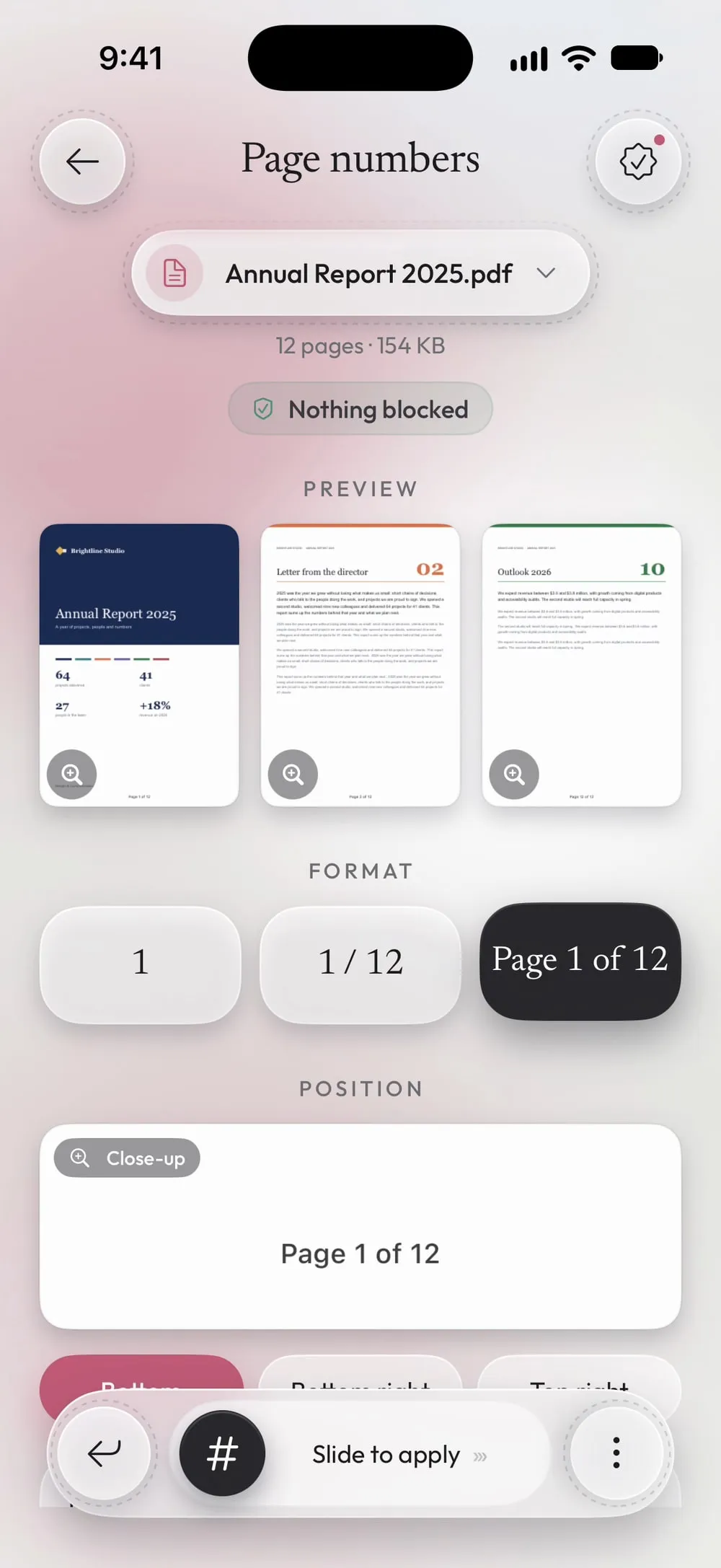
A plain number is the most discreet. “1 / 12” also says how long the document is, and “Page 1 of 12” is the clearest for documents that will be printed and handed out.
The simplest way to number PDF pages on iPhone and iPad
Page numbers in Unlock my PDF numbers every page in one go. Choose the style, the position and the first number, check the preview, and save.
The full flow · 29 s
How to add page numbers to a PDF
Step 01 of 04
Open Page numbers and choose the PDF
In the Tools tab, tap Page numbers, then Tap to choose, and pick the PDF from Files.
Step 02 of 04
Choose the format
Under Format, pick 1, 1 / 12 or Page 1 of 12. The preview shows the first pages and the last one already numbered.
Step 03 of 04
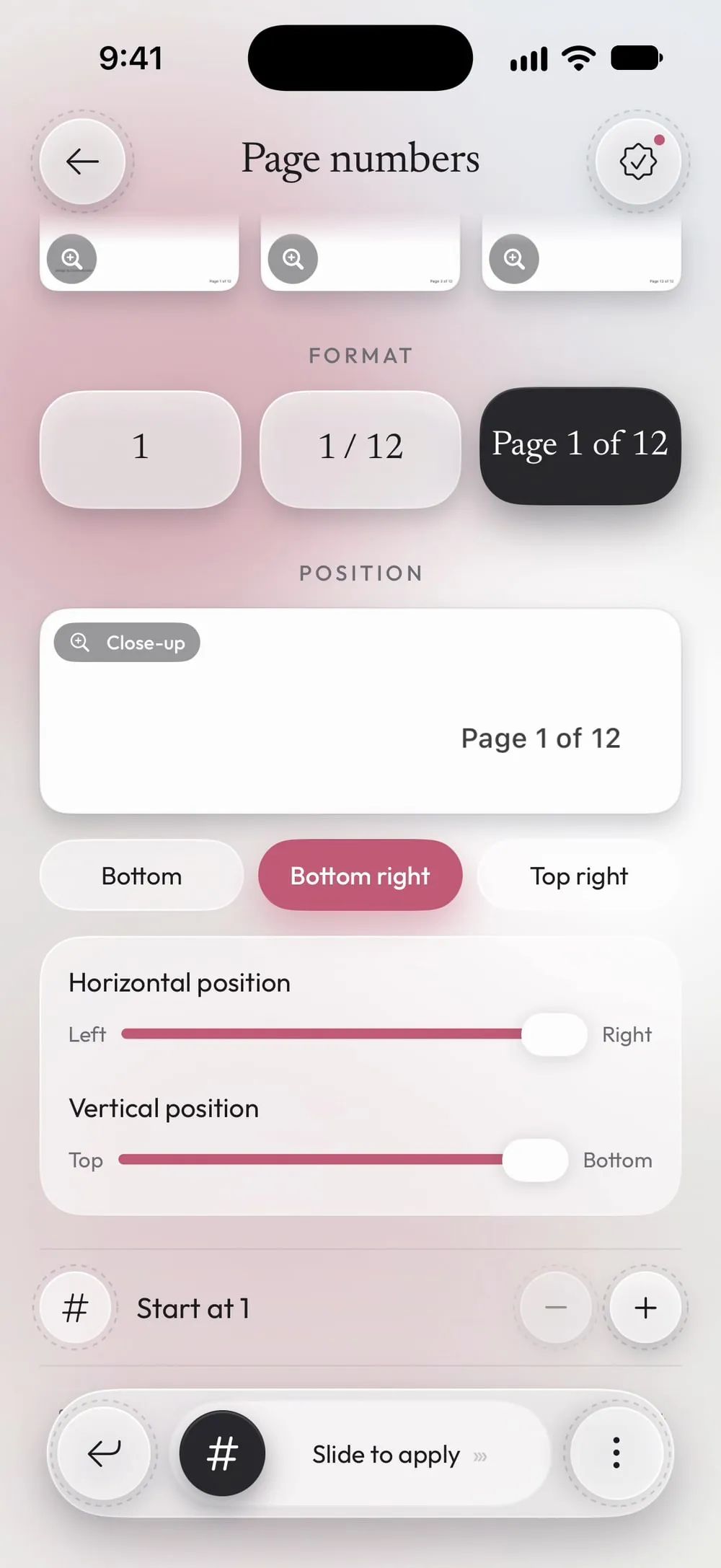
Choose the position
Tap Bottom, Bottom right or Top right, or move the number with the Horizontal position and Vertical position sliders. Close-up shows it up close.
Step 04 of 04
Slide to apply
Drag Slide to apply. Share the numbered PDF or tap Save to Files.
Steps
-
In the Tools tab, tap Page numbers, then Tap to choose, and pick the PDF from Files.
-
Under Format, pick 1, 1 / 12 or Page 1 of 12. The preview shows the first pages and the last one already numbered.
-
Tap Bottom, Bottom right or Top right, or move the number with the Horizontal position and Vertical position sliders. Close-up shows it up close.
-
Drag Slide to apply. Share the numbered PDF or tap Save to Files.
Good to know
Start from another number
If the PDF is the second part of a document, change the start number, so the first page shows 25 instead of 1.
Number after merging
Merge all the files first, then add the numbers once: the count runs across the whole document.
Leave room
If the pages already have something written at the bottom, put the numbers top right.
Questions
Can I skip the cover page?
Every page gets a number. To leave the cover out, number the pages without it and merge the cover back in front afterwards.
Does it change the text of the pages?
No. The number is added on top; the rest of the page stays as it was.
Is it free?
Page numbers is a PRO tool, included in Premium. The app shows the PRO label before you start, never after the work is done.
Are my files uploaded?
No. Pages are numbered on your iPhone or iPad.